Enable Medicine
2023
Accelerating the scientific discovery process

Overview
TLDR:
Enable Medicine recently launched Atlas Library, a public database of scientific findings. Previously, scientists submitted study publication requests through an external form, with engineering manually handling data entry and publishing. My task was to design a flow enabling researchers to independently share studies containing scientific insights.
Impact
Encouraging Scientific Collaboration for Accelerated Insights
Previously, the company primarily focused on tools for biological data analysis. This new publishing flow represents a pivotal step in broadening the platform's scope to include data publishing and sharing among scientists, enabling them to leverage each other's work for accelerated scientific insights.
Eliminating Manual Labor from Engineers
With this new, streamlined in-house flow, engineers no longer had to sift through external form responses and manually enter data.
Final Solution
Flexible Flow Encompassing Diverse Use Cases
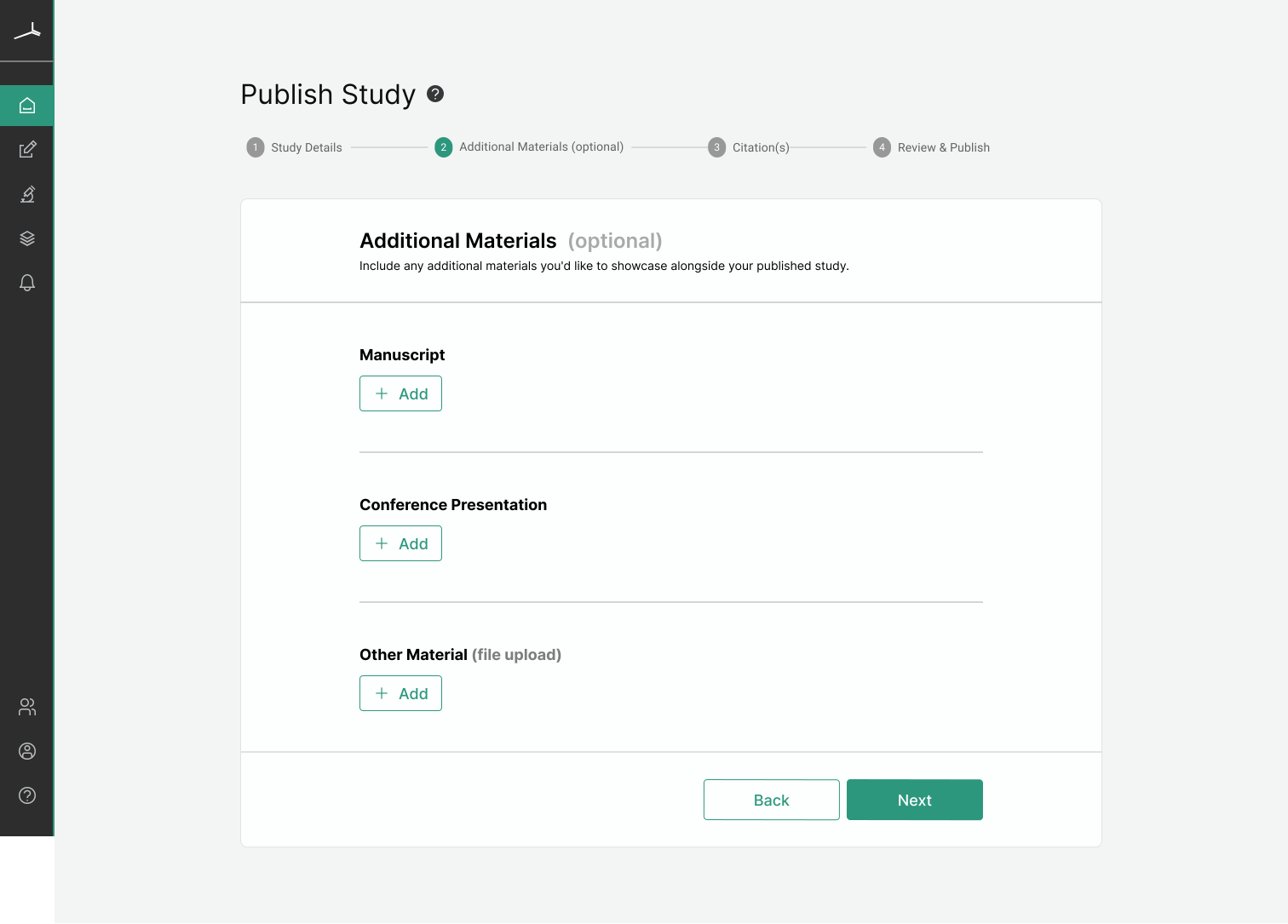
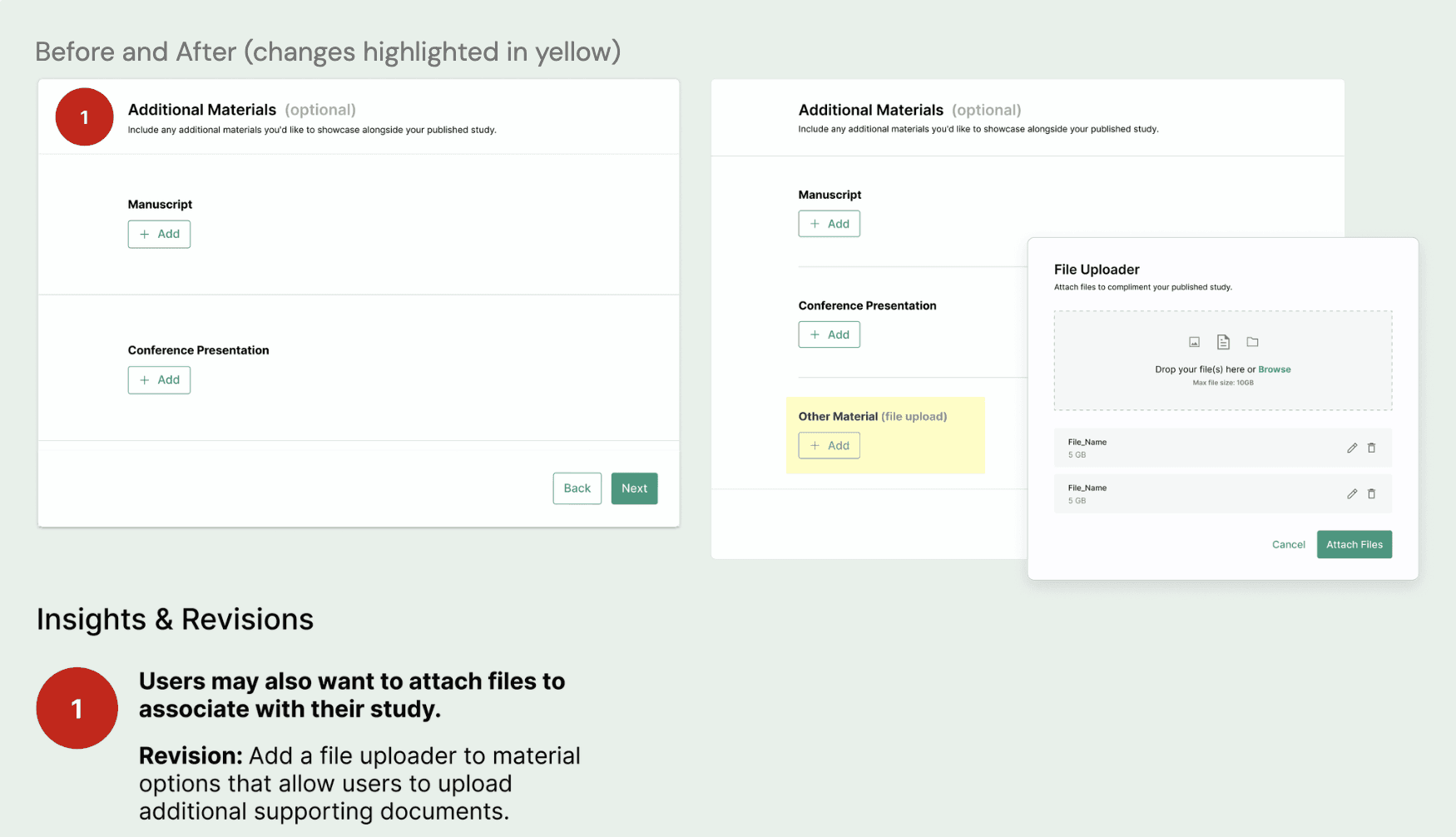
Users can publish a study alone or with supporting material(s).
Guiding Users Through Publication
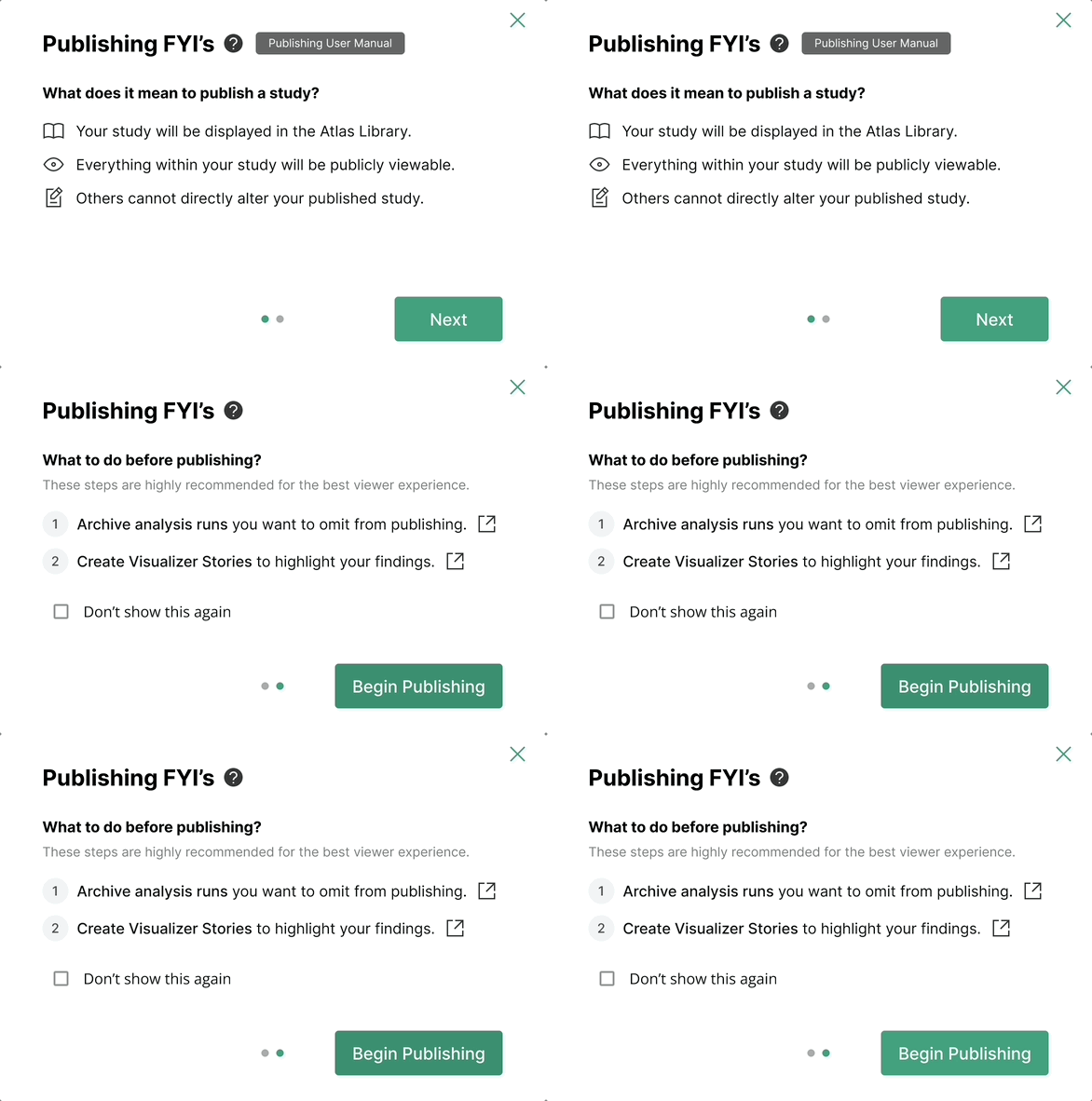
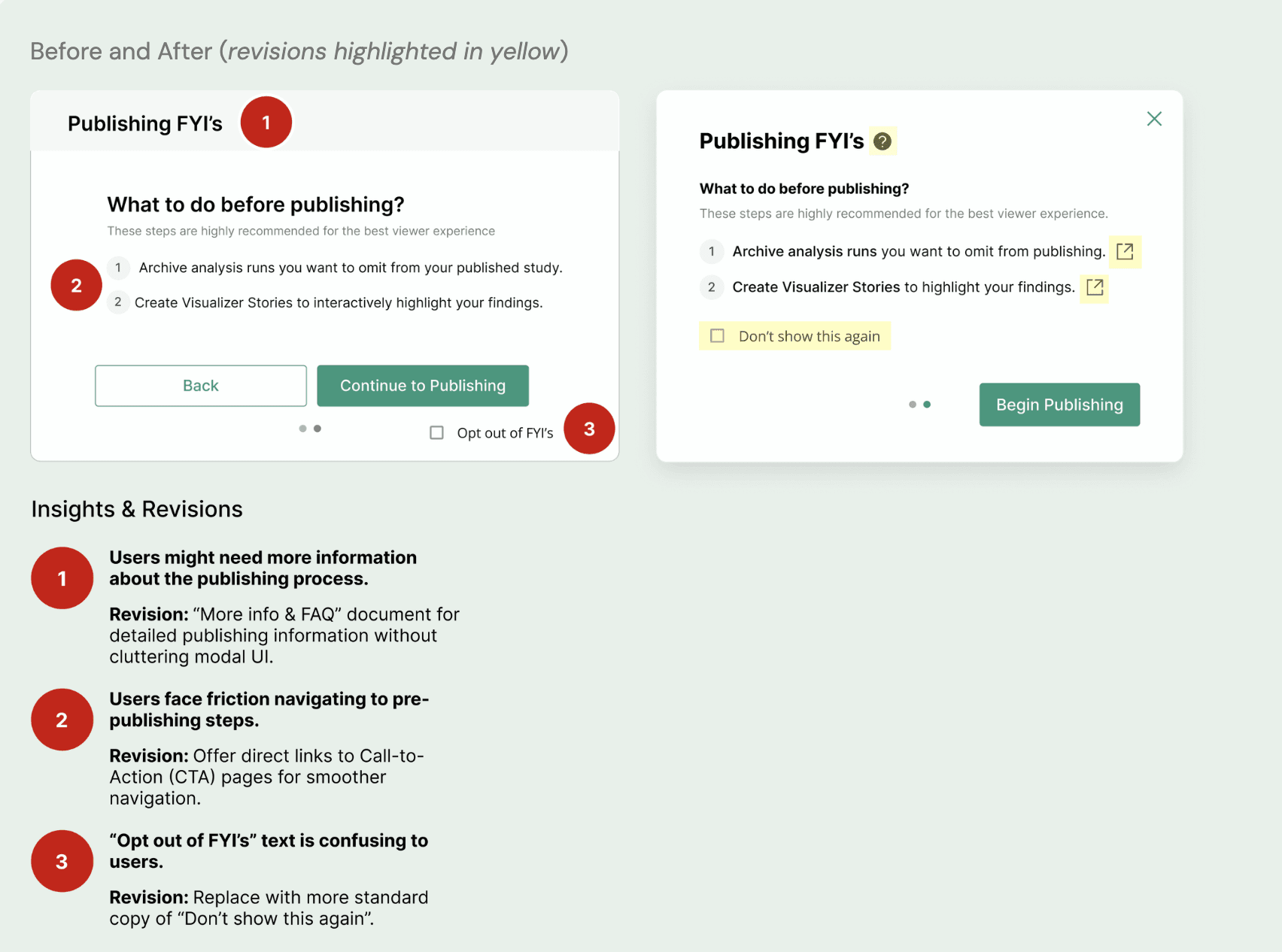
Pre-publishing models, presented as FYI’s, help orient the user by outlining the results of publishing a study and steps to take for an optimal viewer experience.
Dynamically Featuring the Most Important Citations
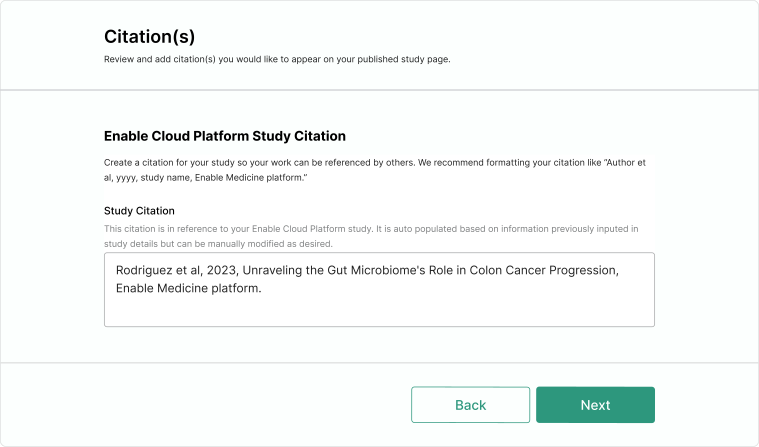
Citations are critical to reference work and acknowledge contributors. Publication citations (manuscript, conference presentation) always take priority.
Streamlining Input Entry with Auto Populating Fields
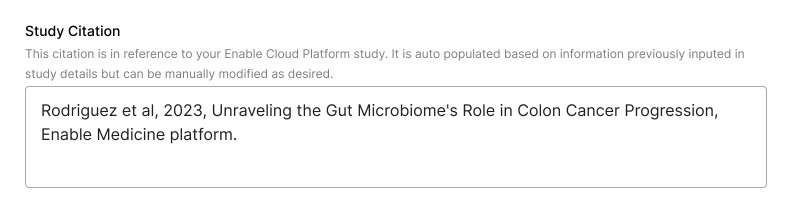
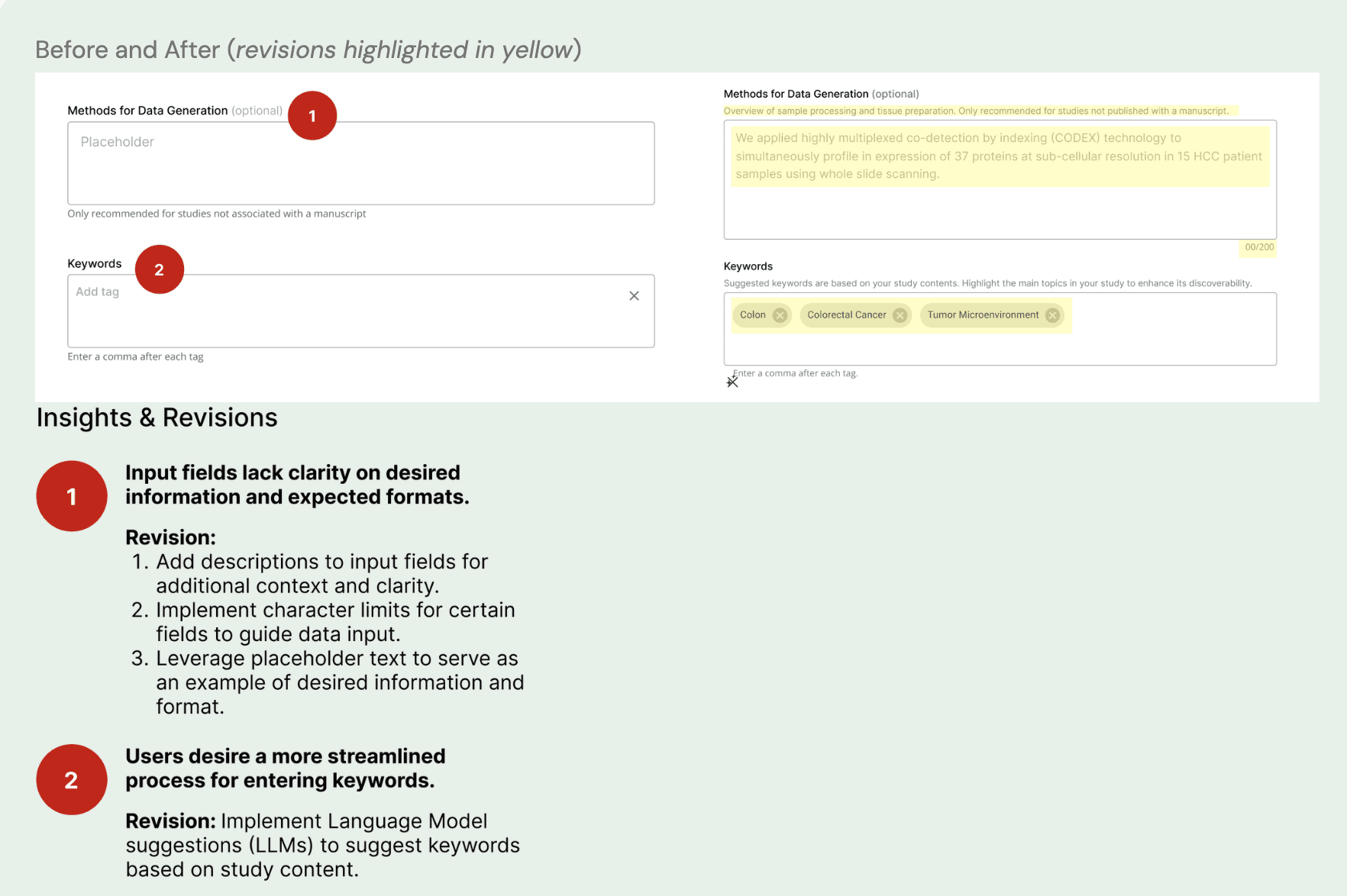
Forms can be tedious, but leveraging auto-filling fields aims to streamline user input, making the process smoother and less burdensome.
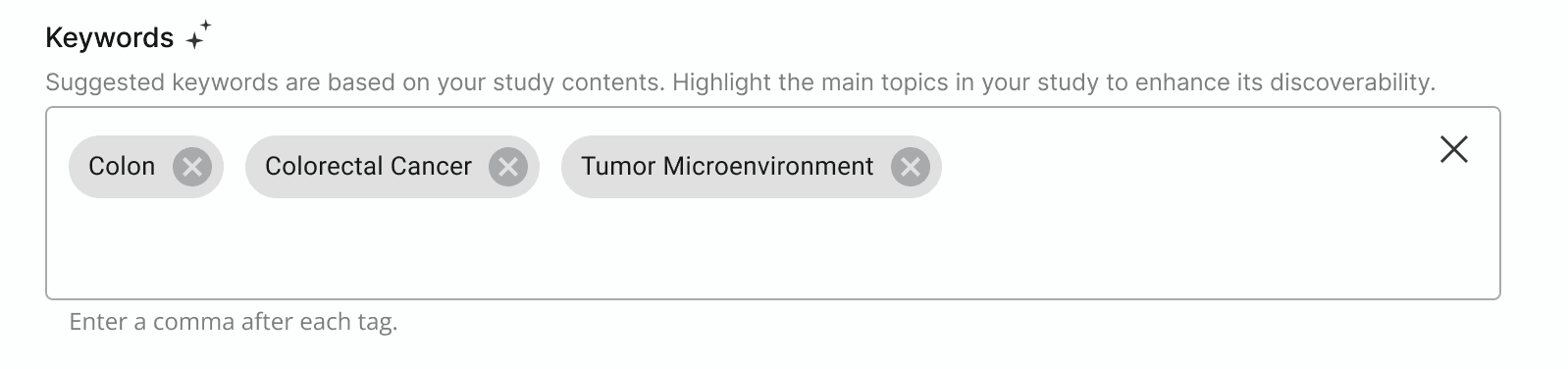
Boosting Study Discoverability with AI Suggested Keywords
A large motivation for publishing work is for it to be discovered by others. Keywords are associated with each study to aid in quick and relevant search results.
Initial Understanding
Developing an initial understanding of the problem space
To kick off the project, I collaborated with the product manager to explore the problem space. While our discussions helped identify initial user requirements, it also revealed the need for deeper insights into user needs. To address this, I reached out to a few internal scientists for interviews.
Initial User Requirements
1) Guide users through publishing
2) Simple, low effort workflow
3) Address publishing needs in various scenarios
Research
Research Mindset
Entering user interviews, I wanted to gather a more nuanced understanding of publishing scientific work to better answer the following questions:
How might we streamline the information input process?
How might we design a flow to address different publishing needs?
Insights & Constraints
Insights from interviews helped shape solutions. I also reached out to engineering to evaluate solution feasibility and adjusted as necessary to fit constraints.
1) Scientists may want to associate a conference presentation AND manuscript with their study.
How might we structure the publishing flow to enable attaching multiple materials and address scenarios when studies are published alone?
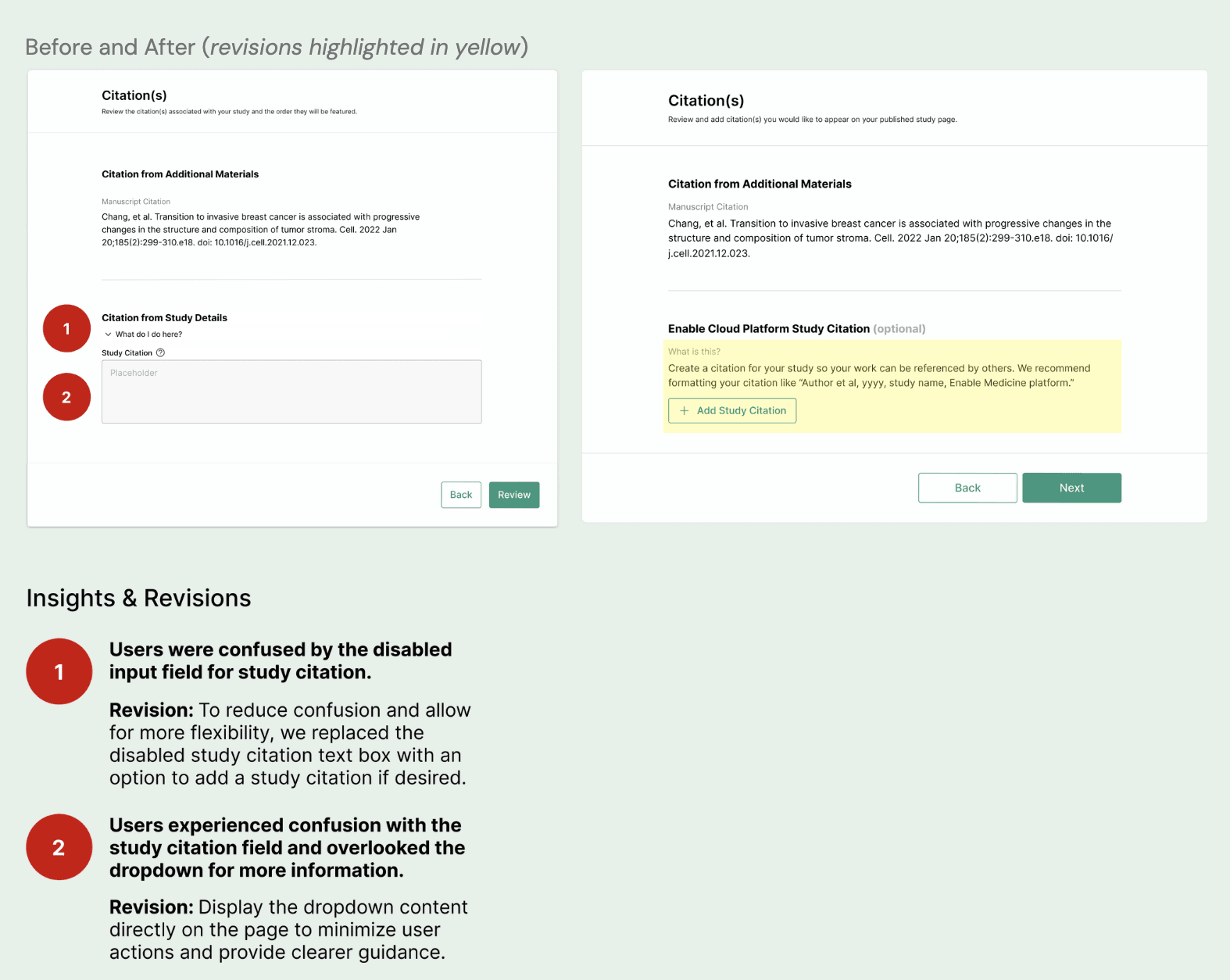
2) Researchers prefer highlighting publication citations (manuscript, conference presentation) over the study citation.
How can we prioritize publication citations while addressing scenarios where no publications are included?
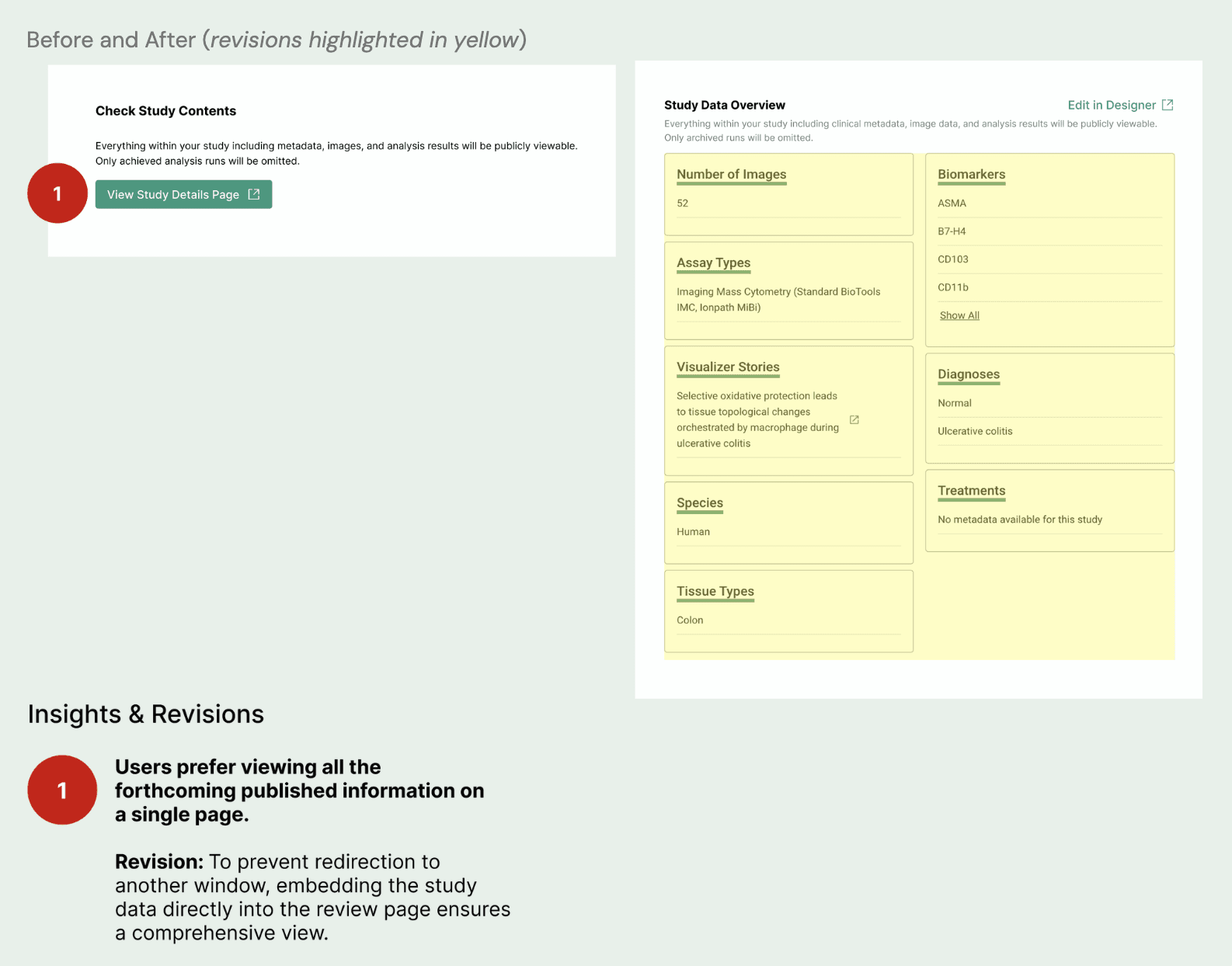
3) Users desire control over what study content is published.
How might we allow users to control what study content is published?
Design & Usability Testing
Gathering Feedback and Making Refinements
After formulating solutions based on research and constraint considerations, I delved into the design phase. Once I had mid-fidelity mockups, I proceeded to usability testing. I found testing before refining visual design allowed me to incorporate feedback more efficiently.
Step 0: Publishing FYI's
Publishing FYI’s help orient the user by providing context around what it means to publish a study and steps they should take to provide the ideal viewer experience.
Step 1: Study Details
Required step for users to enter information pertaining to their study.
Step 2: Additional Materials
Optional step where users can attach supporting materials to their study.
Step 3: Citation(s)
This step allows users to review and add citations. If they have no citations at this point, a study citation will be required.
Step 4: Review & Publish
This step serves as a dedicated space for users to confirm information that will become publicly viewable.
Handoff
Finalizing Designs & Engineering Handoff
To finalize the designs, I conducted a thorough visual check to ensure alignment with the company's design system. Following this, I created a detailed handoff document for engineering, containing finalized design mocks and UI breakdowns.


